PRism analyses every pull request across code diffs, incident history, deployment timing, and test coverage — then gives you a confidence score before you ship.
We only request read:user and user:email scopes.
A 2-minute walkthrough — setup, live analysis, and the full risk report
End-to-end walkthrough — connecting GitHub, reviewing deployment history, and seeing your first AI risk analysis in the VS Code sidebar.
Watch on YouTube →One pull request trigger — four AI agents — risk verdict surfaced wherever you work
PRism Engine
PRism plugs into the tools you already use
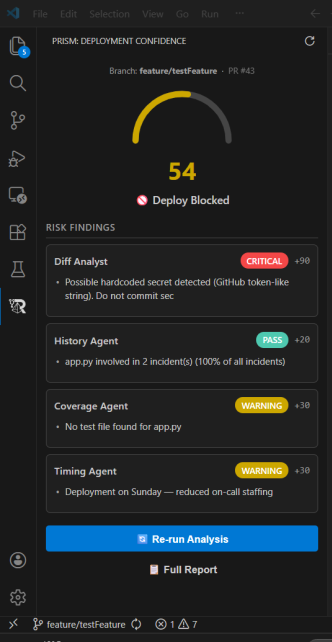
See live deployment confidence right in your editor. The PRism sidebar shows a real-time gauge, agent findings, and a full risk report — all without leaving VS Code.
One-click workflow installation adds a PR gate that triggers on every pull request. PRism posts risk summaries as check-run annotations.
Connect your Azure subscription and Log Analytics workspace to feed real-time production telemetry into the risk model.
Five specialised agents — Diff Analyst, History, Coverage, Timing, and Verdict — powered by Azure OpenAI collaborate to produce a single risk score.
Risk analysis surfaced where your team already works — in GitHub and in your terminal
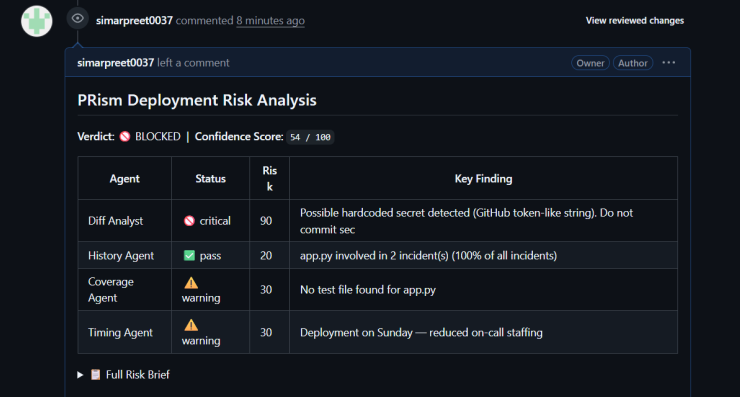
PRism surfaces risk analysis results directly as a GitHub check on every pull request — reviewers see the verdict without leaving GitHub.
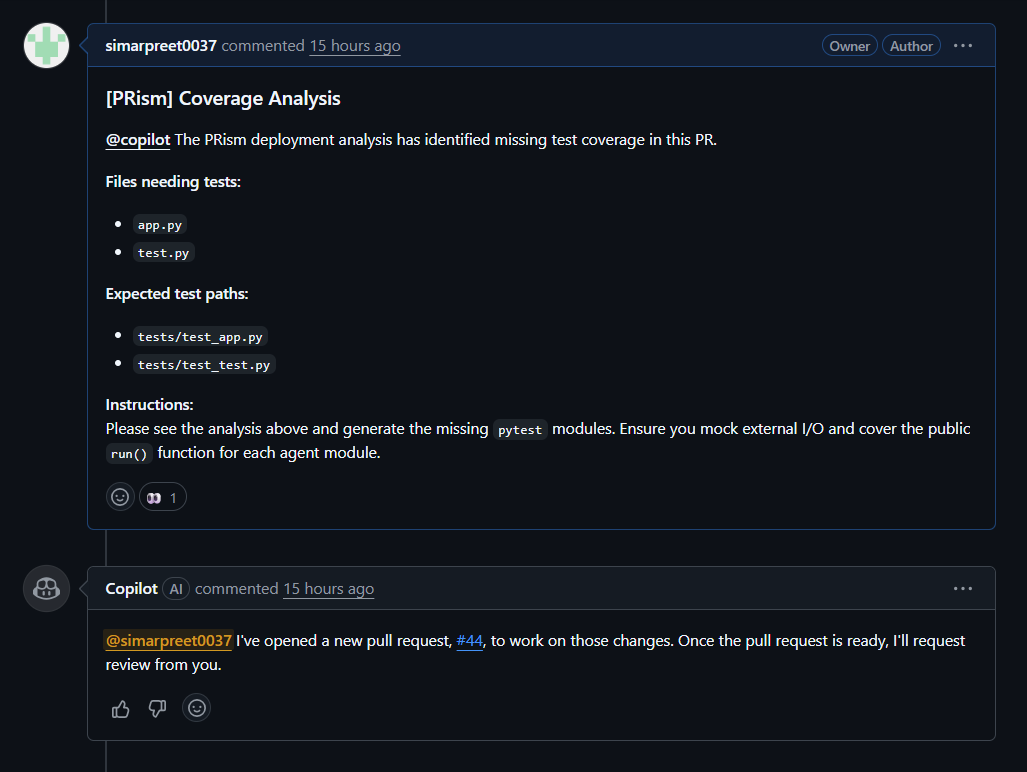
The multi-agent pipeline produces a detailed risk report covering code diffs, deployment history, and deployment timing windows.
Helpful links, guides, and videos to get the most out of PRism